Starlink for RVers: Mini, 12V Power, and 2026 Roam Plans
On this page
Campground Wi-Fi is a shared garden hose, and your work call is always last in line. If you are outfitting a camper van, trailer, or Class A motorhome for mobile connectivity, our field guides for off-grid and RV use cases provide the roadmap. In 2026, the real decision comes down to choosing between the compact Starlink Mini and a Standard Gen 3 dish on native 12V DC power.
Key Facts and Field Specs
| Specification | Starlink Mini | Standard Gen 3 / Standard 4 X | 2026 US Roam Notes |
|---|---|---|---|
| Best Rig Match | Campervans, truck campers, overland rigs, trailers | Class A coaches and fifth-wheels with shore power | Plan is independent of dish; Mini is the mobile favorite |
| Average Power Draw | 25–40W (tested on 12V DC) | 75–100W (measured on AC power brick) | Mini draws less than half the power of Gen 3 |
| Power Input | Native 12–48V DC barrel jack (60W max) | 100–240V AC power supply (requires inverter) | USB-C PD path requires a 100W / 20V / 5A supply |
| Hardware Weight | 1.10 kg (2.43 lb) without stand; 1.16 kg with kickstand | 2.90 kg (6.40 lb) array; 3.20 kg with kickstand | Mini fits easily in a standard backpack |
| Field of View | 110° phased array cone | 110° phased array cone | Neither dish punches through dense wet tree canopy |
| Router Setup | Built-in Wi-Fi 5 inside dish + 1 Ethernet port | Separate Wi-Fi 6 Router 3 + 2 Ethernet ports | Mini requires no indoor router hardware |
Which Starlink hardware should an RVer buy in 2026?
Buy the Starlink Mini unless you already own a Standard Gen 3 and have plenty of lithium battery capacity to feed an inverter.
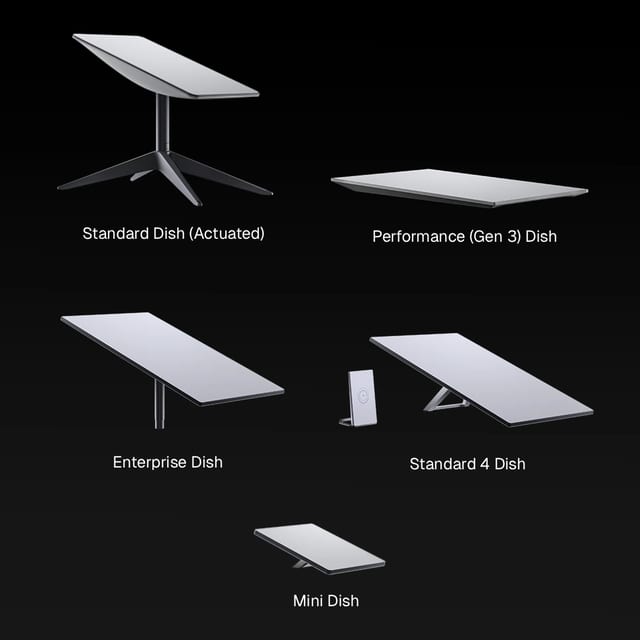
According to the official Starlink Mini specification sheet, the Mini integrates the Wi-Fi 5 router directly into the dish body, measuring 11.75 × 10.2 inches (see our Starlink dish dimensions and weight guide for full specs) and drawing only 25 to 40 watts under continuous load. That is small enough to fit inside a daypack or slide under a van seat.
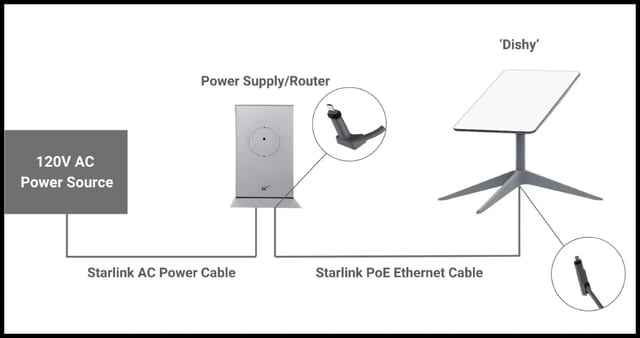
By comparison, the Starlink Standard Gen 3 specification sheet lists an average draw of 75 to 100 watts and requires a separate indoor router and an AC wall brick. That power gap is the deciding factor for vanlife. A Mini can run all day directly off your campervan's auxiliary 12V battery bus without turning on an inverter. Running a Gen 3 dish off-grid usually requires keeping a 120V inverter running 24/7, losing roughly 15% to 20% of your battery capacity purely to inverter heat.
RV Hardware & Usability Comparison
| Feature | Starlink Mini | Standard Gen 3 | Why It Matters on the Road |
|---|---|---|---|
| Portability | Laptop-sized (11.75 × 10.2 in) | Full-sized (23.4 × 15.0 in) | Mini stores easily in a drawer or backpack |
| Mounting Options | Kickstand, pipe adapter, flat roof mount | Kickstand, pole mount, pivot wall mount | Mini has lower wind resistance on roof racks |
| Power Source | Direct 12V/24V DC or 100W USB-C PD | 120V AC wall plug (or custom 12V PoE step-up) | Direct DC saves battery; no noisy inverter fans |
| Built-in Wi-Fi | Wi-Fi 5 (covers ~1,200 sq ft around campsite) | Separate Router 3 with Wi-Fi 6 (~3,200 sq ft) | Mini router is waterproof and built into the dish |
| Ethernet | 1 waterproof latching RJ45 port | 2 gigabit Ethernet ports on router | Both support direct wired connections |
[TIP] Pro-Tip for Existing Owners
If you already own a Gen 3 dish and only boondock for occasional weekend trips, you do not need to replace it with a Mini. Set the dish on a picnic table, point it north with the app, and power it down when you go to sleep. The Mini is worth the upgrade when you travel full-time, move daily, or want a silent 12V system.[WARNING] USB-C Power Warning
If you power the Starlink Mini via USB-C using the official barrel adapter, your USB-C power bank or car charger must support USB-C PD 100W (20V / 5A minimum). A standard 65W laptop charger will brown out and trigger a reboot loop during cold boots or transmit bursts.
Which 2026 Roam plan matches your travel pattern?
Starlink's consumer mobile plans have evolved. Based on current 2026 Starlink service pricing reports, the old 50GB plan has been replaced with the following tiers:
2026 US Roam Decision Card
| Roam Plan Tier | Monthly Cost (USD) | High-Speed Data Allotment | Best Travel Profile |
|---|---|---|---|
| Roam 100GB | $55 / month | 100 GB (unlimited throttled after) | Weekend road trips, maps, messaging, and remote work check-ins |
| Roam 300GB | $80 / month | 300 GB (unlimited throttled after) | Couples working remotely, daily Zoom calls, and moderate video streaming |
| Roam Unlimited | $175 / month | Unlimited high-speed data | Full-time vanlifers, digital nomads, 4K streaming, and heavy uploads |
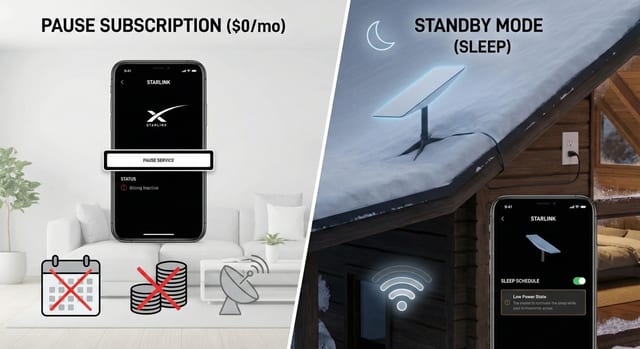
| Standby Mode | ~$10 / month | Zero high-speed data (dish stays registered) | Winter camper storage; avoids cancellation and reactivation hassles |
If you only travel during summer, switch to Standby Mode during the off-season. For a complete step-by-step walkthrough on how to manage seasonal pauses without losing service, read our guide on Starlink pause vs standby mode.
How do you mount a dish on a camper without drilling extra holes?
You do not need to drill holes into your RV roof. Here are the three most popular, field-tested mounting solutions:
Field Mount Matrix
| Mount Type | Best Placement | Wind Rating | Pros & Cons |
|---|---|---|---|
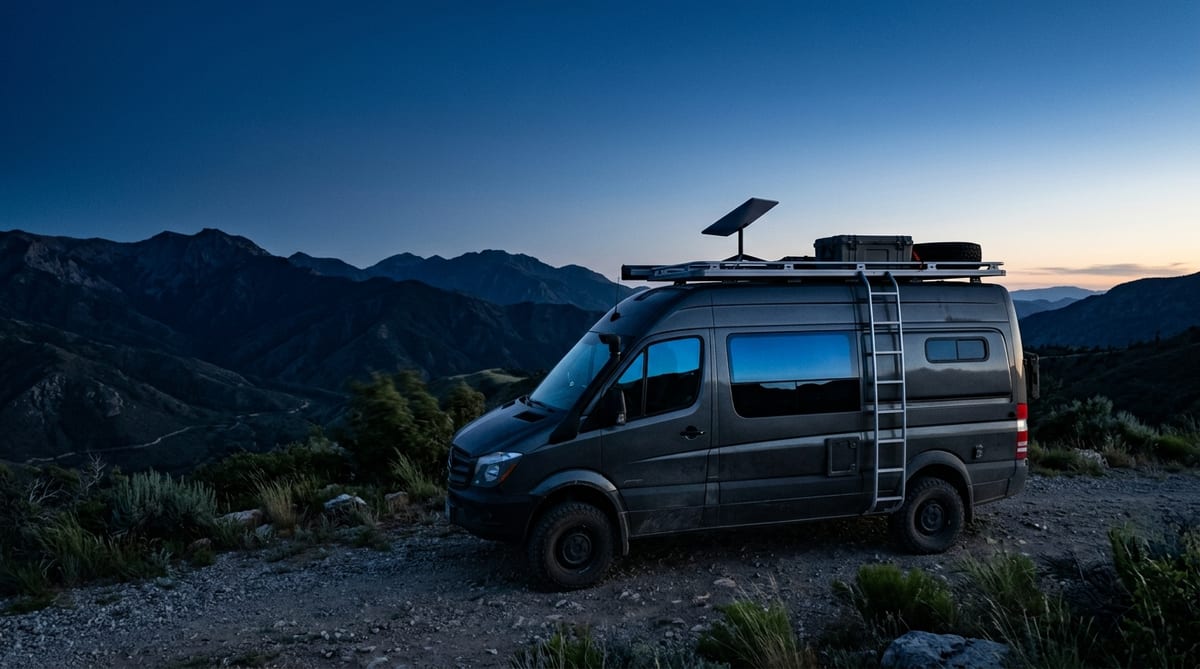
| Ladder Rail Clamp | Rear RV ladder or roof rail | Up to 65 mph | Secure, uses existing hardware; dish is fixed to one corner of the rig |
| Magnetic Roof Mount | Steel van roof or metal plate | Up to 80 mph (parked & in-motion) | Clean install, zero holes; requires a flat steel roof surface |
| Ground Kickstand | Picnic table or open ground | Up to 40 mph (use ground stakes) | Easily moved away from tree shade; takes 5 minutes to deploy and pack up |
| Official Mobility Mount | Permanent van roof or coach lid | Up to 100 mph | Best long-term weather seal; requires drilling and sealant |
How do you wire Mini or Gen 3 on native 12V DC?
Running Starlink Mini directly on 12V DC eliminates the 20% conversion loss of an AC inverter. As benchmarked in our Starlink power consumption guide, running an inverter 24/7 drains battery capacity in continuous idle draw and waste heat.
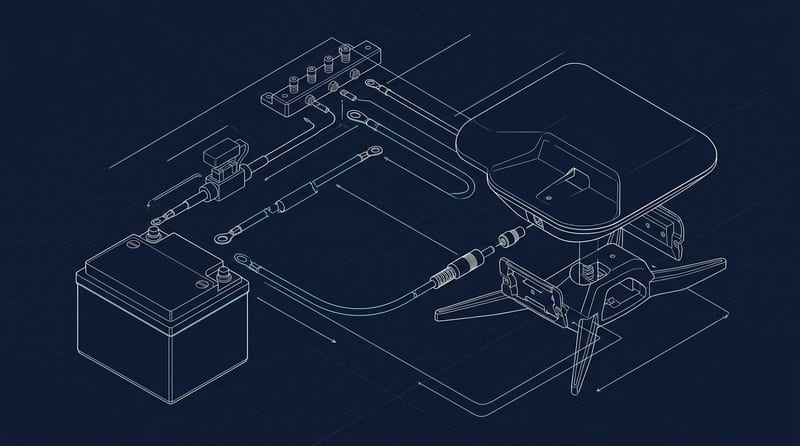
Step-by-Step 12V DC Wiring Walkthrough
| Step | Action | Specification / Tool | Why It Matters |
|---|---|---|---|
| 1. Source Selection | Connect directly to the 12V/24V house battery distribution block | 12V or 24V Lithium / AGM bus | Avoids shared cigarette lighter sockets that sag under load |
| 2. Inline Fuse | Install an inline fuse holder within 7 inches of positive terminal | 10A ATC blade fuse | Protects wiring against accidental short circuits |
| 3. Wire Sizing | Run duplex marine-grade wire from battery to dish connection | 12 AWG (up to 15 ft) / 10 AWG (>15 ft) | Prevents voltage drop under high-transmit loads |
| 4. DC Voltage Step-Up | Optional 12V to 24V DC-DC booster module | 12V in, 24V/5A out step-up converter | Keeps voltage at a rock-solid 24V so voltage sag never reboots the dish |
| 5. Terminal Connector | Connect to Starlink Mini power port using weatherproof DC barrel cable | 5.5mm × 2.1mm DC barrel connector | Weatherproof seal prevents corrosion and water intrusion |
What actually breaks Starlink at campgrounds?
Trees - not equipment failure - cause over 90% of campground connectivity problems. Always scan the canopy with the mobile app before deploying (see our guide to checking Starlink obstructions before setup).
Common Campground Traps & Solutions
| Problem | Root Cause | Immediate Field Solution |
|---|---|---|
| Random Disconnections | Tree canopy obstructing 110° sky cone | Open the Starlink app, run the Obstruction Scan, and move dish to open ground |
| Dish Reboots Constantly | 12V battery voltage sagging below 11.5V | Install a 12V-to-24V step-up booster or shorten power wire run |
| Weak Wi-Fi Outside Rig | Metal RV walls blocking dish signal | Plug a compact travel router into the Mini's Ethernet port inside the cabin |
| Unexpected Billing | Left plan active while stored in driveway | Switch subscription to Standby Mode ($10/mo) in account settings |
Can you use Starlink while driving?
Yes. According to RV Mobile Internet policy analysis, active Starlink Roam plans officially support in-motion usage on land up to a speed cap of 100 mph (160 km/h).
However, in-motion use requires a securely clamped roof rack or flat mount. Never rely on suction cups or weak temporary magnets at highway speeds. Keep in mind that driving under highway overpasses, bridges, and dense tree tunnels will cause momentary connection dropouts, making in-motion satellite internet great for music streaming, navigation, and passenger browsing, but less ideal for live uninterrupted video calls.
Frequently Asked Questions
Can I pause Starlink during winter storage without losing my hardware?
Yes. You own the hardware. You can put your service into Standby Mode for approximately $10 a month during off-season storage, which keeps your dish active and avoids cancellation or reactivation fees when you head back out in the spring.
Will campground trees block my Starlink connection?
Yes. Starlink requires an unobstructed 110-degree cone of open sky. Before setting up camp, open the Starlink mobile app and use the Obstruction Tool from your intended parking spot to ensure a clear line of sight to the northern sky.
Can I power Starlink Mini directly from a 12V camper battery?
Yes. The Starlink Mini features a native 12V to 48V DC input barrel port. By wiring directly to your 12V house battery with an inline 10A fuse and 12 AWG wire, you eliminate the 20% conversion loss of an AC inverter.
Do I need a Global Roam plan for a standard US road trip?
No. The standard Regional Roam plan covers travel across the entire continental United States, Canada, and typical Alaska/Hawaii road trips within your home continent.